
A reliable property maintenance workflow moves every request from intake to verified closure with defined SLAs, photo documentation, and a clear audit trail — so nothing falls through the cracks and every repair is defensible on paper.
Your six-stage workflow at a glance:
- Intake: Receive the request through a single, structured channel
- Triage: Assign a priority level (Emergency / Urgent / Standard / Scheduled)
- Assignment: Route to the right vendor or in-house technician based on trade and SLA
- Execution: Complete the repair with photo evidence and parts documentation
- Verification: Confirm completion via tenant sign-off or supervisor check
- Closure: Match the invoice, archive the record, and update the asset log
The single highest-impact change you can make today: enforce one intake channel, require before/after photos with timestamps, and dispatch based on written SLA tiers. That combination alone eliminates the majority of lost requests, billing disputes, and repeat calls.
Compliance note: Maintenance records and documented response times are part of audit requirements for federally assisted housing under the Fair Housing Act. Keep every work order, timestamp, and communication log. Reasonable accommodation requests must be handled consistently and documented regardless of portfolio size. Buildium’s workflow guide provides operational benchmarks for response windows across work-order types.
Key Takeaways
A structured, six-stage property maintenance workflow with single-channel intake, photo verification, and SLA-based dispatch is the most reliable way to reduce costs, prevent disputes, and keep tenants satisfied.
| Point | Details |
|---|---|
| Six-stage workflow is non-negotiable | Intake, triage, assignment, execution, verification, and closure — skipping any stage is the leading cause of maintenance failures. |
| Emergency repairs cost 4–5× more | Shifting to preventive maintenance with high PM compliance materially reduces emergency frequency and total spend. |
| Automation handles 70–85% of routine requests | Structured intake and configured triage rules allow most standard work orders to route and dispatch without coordinator intervention. |
| KPIs to track from day one | Monitor time-to-complete (target 24–72 hours), PM compliance rate, and invoice variance rate (target under 5%). |
| Mdtechservices for Orange and LA County | Licensed technicians covering appliance repair, HVAC, plumbing, and gas conversions — bookable online with documentation built into every service visit. |
Table of Contents
- What this guide covers and who it’s for
- How a property maintenance workflow runs from request to closure
- How to set up your operations before the workflows run
- What software features should your maintenance platform include?
- Which KPIs tell you if your maintenance operations are actually working?
- Templates and checklists you can use right now
- What to look for when onboarding licensed contractors
- The mistakes operators make most often — and how to fix them
- Mdtechservices is ready to plug into your workflow today
- Sources
What this guide covers and who it’s for
A property maintenance workflow is the documented sequence of steps your team follows to receive, prioritize, assign, complete, and close every maintenance request. It typically contains the six stages listed above, and it applies equally to a single-family rental and a 200-unit portfolio.
According to MyPropOps, skipping any of those six stages is the most common cause of maintenance failures — lost requests, unresolved issues, and compliance gaps.
This guide is written for:
- Property managers running portfolios of any size who want a repeatable, software-enabled process
- Independent landlords managing a handful of units who need a lightweight but complete system
- Portfolio operations teams looking to standardize across multiple properties or staff members
What this guide covers:
- Step-by-step workflows for work orders, turnovers, preventive maintenance, and emergencies
- Setup tasks: asset registry, vendor network, intake channel, and SLA definitions
- Software capabilities and representative platforms (Propertymeld, Buildium, AppFolio)
- KPIs, dashboards, and reporting cadence
- Copy-ready templates, checklists, and SOPs
What this guide does not cover: DIY repair instructions, contractor licensing requirements outside of California-specific notes, or commercial property maintenance.
How a property maintenance workflow runs from request to closure
Work order workflow
Every work order follows the same path. Deviating from it is where costs spike and tenants complain.
- Intake: The tenant submits through your designated portal (not text, not email, not a phone call to a personal cell). The form captures: unit number, category (HVAC, plumbing, appliance, electrical, other), urgency selector, written description, and at least one photo. Structured intake with a category dropdown and photo upload dramatically reduces triage noise and prevents free-text submissions that slow dispatch.
- Triage: A coordinator or automated rule assigns a priority within 1 hour of receipt. Use four tiers: Emergency (life/safety risk, active water leak, no heat below 55°F) = dispatch within 15–60 minutes; Urgent (habitability impact, appliance failure) = same-day or next-day; Standard (non-critical repairs) = 24–72 hours; Scheduled (planned PM, cosmetic) = next available slot.
- Assignment: Match the trade to your vendor list. If your primary vendor cannot respond within the SLA window, your backup vendor is dispatched automatically. Document the assignment with the vendor’s name, license number, and estimated arrival window.
- Execution: The technician completes the repair, logs parts used, and submits timestamped before/after photos through the portal or a vendor app. No photo, no payment — make this a written policy.
- Verification: The tenant confirms completion via a portal prompt or automated text. If no response within 24 hours, a supervisor conducts a spot check. Skipping verification is one of the most common causes of repeat requests and tenant dissatisfaction.
- Closure: The coordinator matches the invoice to the approved scope, archives the work order with all attachments, and updates the asset maintenance log. Work orders typically resolve in 24–72 hours when this process is followed consistently.
Pro Tip: At intake, include two or three quick troubleshooting prompts — “Has the circuit breaker been reset?”, “Is the appliance display showing an error code?” — before routing to dispatch. A significant share of reported issues resolve without a truck roll.
Turnover / make-ready workflow
A tight turnover protects revenue. The goal is a market-ready unit with zero deferred items.
- Move-out inspection (Day 0): Conduct a walk-through with the outgoing tenant. Document every item with photos. Generate a punch list within 24 hours.
- Vendor dispatch (Day 1): Assign trades simultaneously, not sequentially. Painting, cleaning, appliance checks, and plumbing inspection can run in parallel.
- Make-ready completion: Target timelines are 3 days for a lightly used unit, 7 days for standard wear, and 14 days for heavy damage or appliance replacement.
- Final inspection (Day before listing): A supervisor or property manager walks every room against the punch list. Sign-off is required before the unit is listed.
- Market-ready confirmation: Update the PMS status, confirm utilities are active, and photograph the finished unit for the listing.
For appliance checks during turnover, an appliance inspection checklist ensures nothing is missed at the unit level.
Preventive and seasonal PM workflow
Emergency repairs cost roughly 4–5 times more than planned maintenance. A preventive maintenance program is the most direct lever for reducing total maintenance spend.
The PM cycle runs as follows:
- Pull the asset registry and generate a schedule by asset type and manufacturer interval.
- Order parts and consumables kits 2–3 weeks before the scheduled date.
- Assign technician instructions with the asset’s service history attached.
- Complete the PM task and submit photo evidence of the completed work.
- Log the completion date and next-due date in the asset record.
Seasonal checklist (copy-ready):
- Spring: HVAC filter replacement, condenser coil cleaning, test cooling mode, inspect roof and gutters after winter
- Summer: Check attic ventilation, test smoke and CO detectors, inspect irrigation systems
- Fall: Service furnace and heating system, clean gutters, inspect weatherstripping and caulking, schedule plumbing inspections before temperatures drop
- Winter: Insulate exposed pipes, confirm water heater temperature settings, test emergency heat, inspect for roof ice dams in applicable climates
Emergency response workflow
An emergency is any condition that poses an immediate risk to life, safety, or structural integrity. Your team needs a written protocol before the call comes in.
- Immediate triage: The on-call coordinator receives the report and classifies it within 5 minutes. Active gas leak, fire, flooding, or no heat below 55°F = Emergency. Dispatch within 15 minutes.
- Vendor dispatch: Contact the primary emergency vendor. If no answer within 10 minutes, move to the backup. Document every call attempt with timestamps.
- Tenant communication: Send an acknowledgment within 15 minutes of the report. Provide an estimated arrival window and a direct contact number.
- On-site response: The technician arrives within the SLA window (15–120 minutes depending on hazard severity), stabilizes the issue, and documents the scene with photos before beginning repairs.
- Escalation: If the repair exceeds the technician’s scope or the approved spend threshold, the coordinator contacts the property owner for authorization. Document the authorization in writing.
- Post-event documentation: Within 24 hours, file a complete incident report with photos, vendor notes, tenant communications, and costs. This record may be requested by insurers or housing authorities.
For plumbing emergencies specifically, a plumbing emergency checklist covers the immediate steps tenants and managers should take before the technician arrives.
How to set up your operations before the workflows run
Workflows fail when the underlying infrastructure is missing. Get these four things in place first.
Asset registry
Every maintainable asset needs a record. Capture: manufacturer, model number, serial number, install date, warranty expiration, replacement cost, assigned unit or location, and a maintenance history log. Without this, you cannot generate a PM schedule, verify warranty coverage, or benchmark replacement timing.

Vendor network
Maintain at least two qualified vendors per trade: HVAC, plumbing, electrical, appliance repair, and general maintenance. For each vendor, confirm:
- Active state license and insurance certificate (general liability + workers’ comp)
- W-9 on file for 1099 reporting
- Written SLA commitments for emergency, urgent, and standard response
- Backup coverage for nights, weekends, and holidays
Mapping those categories before you configure dispatch rules means your automation handles the majority of requests from day one.
Single intake channel
Pick one channel and enforce it. A tenant portal is the most effective because it forces structured data entry. SMS-based intake works for smaller portfolios but requires a dedicated number that feeds into your PMS. Phone calls should route to a voicemail that prompts the caller to submit through the portal. The goal is one source of truth for every open request.
Approval and spend thresholds
Define in writing who can approve what. A common structure: technician approves up to $150 for parts on-site; coordinator approves up to $500; property manager approves up to $2,500; owner authorization required above $2,500. Document every owner approval by email or portal message. This protects you and creates a clean audit trail.
For a detailed breakdown of property manager responsibilities within these workflows, that resource covers role definitions and accountability structures in depth.
What software features should your maintenance platform include?
The right platform operationalizes your workflow. Without software, even a well-designed process degrades under volume. Here is what to require before you commit to any tool.
Core capabilities checklist:
- Structured intake form with category dropdown, urgency selector, and photo upload
- Triage rules engine that auto-assigns priority based on category and urgency input
- SLA timers with escalation alerts when a work order approaches or breaches its window
- Vendor portal for dispatch notifications, work acceptance, photo submission, and invoice upload
- Timestamped photo attachments linked to the work order record
- Invoice reconciliation against approved scope and spend thresholds
- Reporting dashboard with work-order volume, time-to-complete, and PM compliance rate
Representative platforms:
Propertymeld functions primarily as a maintenance orchestration layer. It sits between your PMS and your vendor network, handling dispatch coordination, resident communication, and scheduling. It is particularly strong for portfolios that already have a system of record (like Buildium or AppFolio) and want a dedicated maintenance communication layer on top.
Buildium serves as a full property management system of record with built-in maintenance request management, work-order tracking, and owner reporting. Its maintenance module covers the core workflow stages and integrates with accounting, making invoice reconciliation straightforward.
AppFolio combines PMS functionality with AI-assisted maintenance triage and a vendor marketplace. Its maintenance workflow tools include automated tenant updates and mobile-friendly vendor access, which reduces the coordinator’s manual communication load.
When selecting, run a 30-day pilot on a defined subset of units. Measure triage accuracy (how often the auto-assigned priority matches your coordinator’s judgment) and vendor response rate (how often vendors acknowledge within the SLA window). Expand only after those two metrics are stable.
Automation configured with structured intake and proper triage rules can resolve roughly 70–85% of routine requests within SLA without coordinator intervention. That number is only achievable if your intake form forces structured data — free-text submissions break the rules engine.
Pro Tip: Connect your maintenance platform to your accounting software before go-live. Invoice mismatches are far easier to catch in real time than to reconcile retroactively at month-end.
Which KPIs tell you if your maintenance operations are actually working?
Tracking the right metrics separates a well-run operation from one that feels busy but bleeds money. These are the numbers that matter.
Properties below 70% PM compliance experience materially higher emergency work orders and maintenance costs, according to Oxmaint’s preventive maintenance analysis.
Reporting cadence:
- Daily: On-call coordinator reviews open emergency and urgent work orders, checks SLA breach alerts
- Weekly: Operations supervisor reviews time-to-complete, vendor response rates, and open work orders by age
- Monthly: Property manager delivers owner report covering total maintenance cost, PM compliance rate, emergency incidents, and major repairs
For subsidized housing portfolios, retain all work-order records, response time logs, and tenant communications for a minimum of three years. Housing authority audits may request this documentation with little advance notice.
Templates and checklists you can use right now
Intake form fields (required)
- Unit number and tenant name
- Date and time of submission
- Category: HVAC, Plumbing, Appliance, Electrical, Structural, Other
- Urgency: Emergency / Urgent / Standard
- Written description (300 characters max to force brevity)
- Photo attachment (minimum one required)
- Permission to enter: Yes / No / Preferred hours
Work order template fields
- Work order number (auto-generated)
- Property address and unit
- Category and priority level
- Assigned vendor name, license number, and contact
- Approved scope of work
- Approved spend limit
- Required attachments: before photo, after photo, parts list
- Completion date and technician signature
- Verification method: tenant confirmation / supervisor check
- Invoice number and amount
Vendor request email template
Subject: Work Order [#] — [Category] — [Property Address] — [Priority]
Please confirm receipt of this work order within [SLA window]. Scope: [brief description]. Approved spend: $[amount]. Required documentation: before/after photos with timestamps, parts list, and invoice submitted through [portal link] within 24 hours of completion. Contact [coordinator name] at [phone/email] for questions or scope changes.
Turnover make-ready checklist (copy-ready)
- Walk-through completed and punch list generated
- All personal property removed and unit cleaned
- Walls patched and painted where needed
- Flooring inspected and cleaned or replaced
- All appliances tested and operational (see appliance inspection checklist)
- HVAC filter replaced and system tested
- Plumbing fixtures checked for leaks and proper function
- Smoke and CO detectors tested and batteries replaced
- Locks rekeyed or codes changed
- Final supervisor sign-off completed
Seasonal PM checklist (copy-ready)
- HVAC filters replaced (quarterly minimum)
- Condenser coils cleaned (spring)
- Furnace serviced (fall)
- Gutters cleared (fall and spring)
- Exposed pipes insulated (before first freeze)
- Water heater inspected and flushed (annually)
- Roof inspected for damage (spring and fall)
- Smoke and CO detectors tested (semi-annually)
- Weatherstripping and door seals inspected (fall)
Store all templates as reusable snippets in your PMS or orchestration layer. Most platforms support template libraries that auto-populate work order fields, which cuts coordinator time per request significantly.
What to look for when onboarding licensed contractors
Contractor quality is the most variable element in any maintenance operation. A well-designed workflow cannot compensate for a vendor who misses SLAs or submits incomplete documentation.
Credential checklist before onboarding any vendor
- Active state contractor’s license verified through the California Contractors State License Board (CSLB) for California-based work
- General liability insurance certificate naming your management company as an additional insured
- Workers’ compensation certificate current and valid
- W-9 on file before the first invoice is processed
- Local references from at least two property management clients
- Background check completed where required by your company policy
Onboarding steps
Once credentials are verified, walk the vendor through your workflow expectations in writing:
- Confirm SLA commitments for each priority tier in a signed vendor agreement
- Grant portal access and demonstrate the work-order acceptance and photo submission process
- Provide the invoicing template and payment timeline (net 15 or net 30)
- Share the escalation contact for scope changes and after-hours emergencies
- Complete a supervised first job before adding the vendor to the primary rotation
Safety and documentation on-site
Every vendor working on your properties should carry a site safety checklist covering: permit requirements for the scope of work, utility shutoff locations, hazardous material handling (lead, asbestos in older buildings), and post-repair cleanup standards. Permit triggers in California typically include HVAC replacements, water heater replacements, and any electrical panel work. Document permit numbers in the work order record.
For HVAC repair and maintenance specifically, licensed technicians are required for refrigerant handling under EPA Section 608. Verify that any HVAC vendor holds the appropriate EPA certification before dispatch.
Mdtechservices serves property managers in Orange County and Los Angeles County with licensed technicians covering appliance repair, HVAC, plumbing, and gas conversions. The online booking system allows property managers to schedule service requests directly, and technicians arrive with the documentation and photo-capture process already built into their workflow. For appliance-related work orders, the appliance repair service overview covers scope and what to expect from a service visit.
The mistakes operators make most often — and how to fix them
Most maintenance operations fail at the same five points. Recognizing them is the first step to fixing them.
1. Intake fragmentation. Requests arrive through text, email, phone, and portal simultaneously. No single source of truth means requests get lost. The fix: pick one channel, communicate it to tenants in writing at move-in, and route all other channels to an auto-response that redirects to the portal. Do this in a single week.
2. Skipped verification. The technician marks the job done, but no one confirms with the tenant. The result is a repeat request two weeks later for the same issue. The fix: configure an automated post-completion text or email to the tenant with a one-tap confirmation. If no response in 24 hours, flag for supervisor review.
3. Weak vendor backup. Your primary HVAC vendor is unavailable on a Saturday night. You have no backup. The fix: before you need it, sign a written agreement with a second vendor per trade that includes emergency response commitments. Test the backup vendor with a low-stakes standard work order before an emergency forces the issue.
4. Missing asset registry. You cannot generate a PM schedule if you do not know what assets you have. The fix: spend one day per property walking units and logging every maintainable asset into a spreadsheet or your PMS. Model, serial number, install date, and warranty expiration are the minimum fields. This single task unlocks your entire PM program.
5. Poor invoice reconciliation. Invoices arrive without reference to a work order number. Amounts exceed the approved scope. The fix: require every invoice to include the work order number, approved scope, and itemized parts list. Configure your accounting integration to flag any invoice that exceeds the approved spend threshold before payment is released.
Pro Tip: When rolling out new intake rules to tenants, send a one-page “how to submit a maintenance request” guide with move-in packets and post it in the tenant portal. Residents who understand the process comply with it. Residents who don’t understand it call your personal cell at 10 PM.
Mdtechservices is ready to plug into your workflow today
Property managers in Orange County and Los Angeles County need a licensed service partner who fits into their existing process, not one who creates more coordination work.
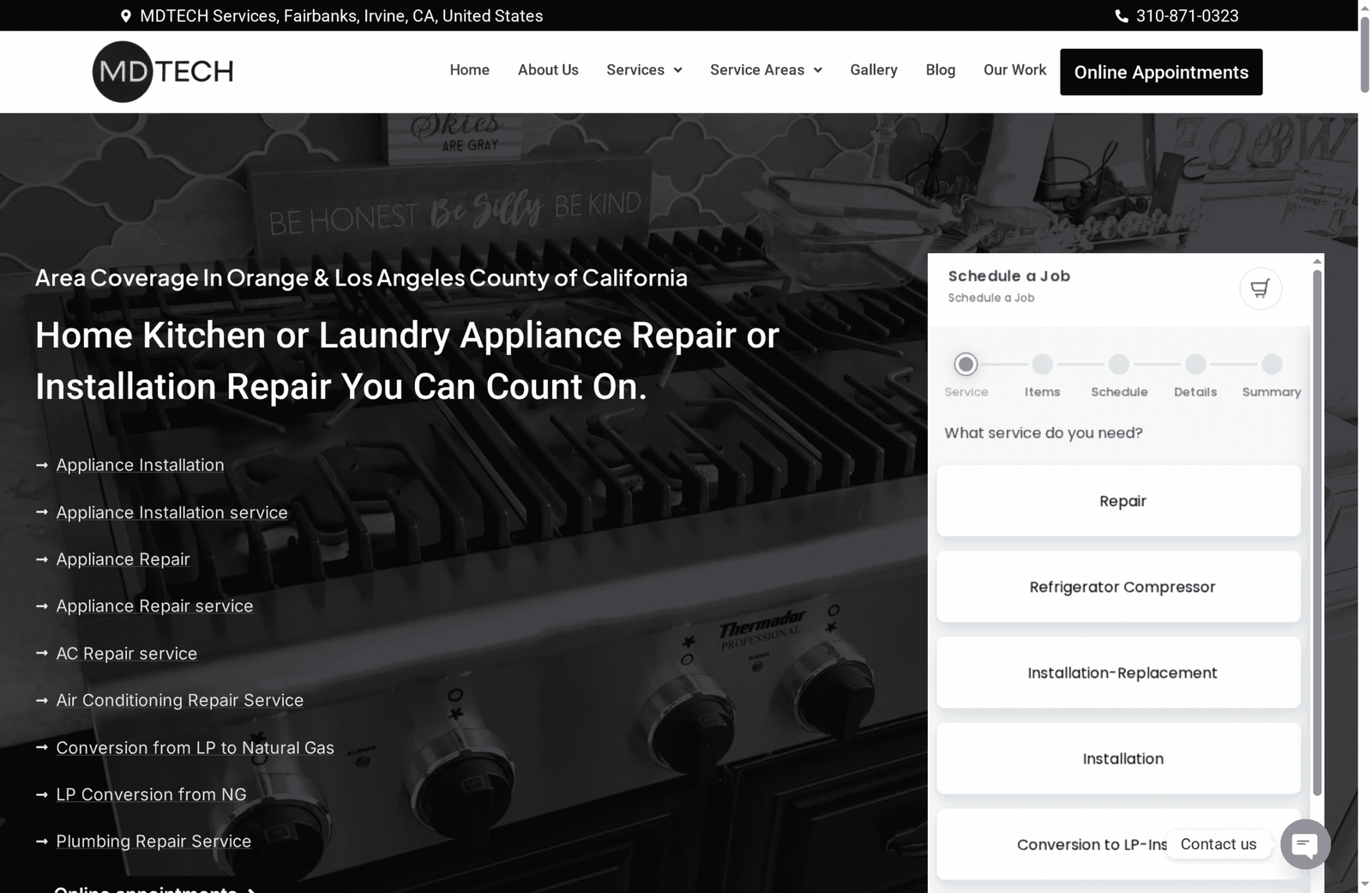
Mdtechservices covers appliance repair and installation, HVAC repair, plumbing services, and LP-to-natural-gas conversions across both counties. Every technician is licensed, arrives with the documentation your workflow requires (timestamped photos, parts lists, and invoice-ready records), and can be dispatched through your existing work-order system. There is no onboarding friction: you assign the work order, Mdtechservices confirms the SLA window, completes the job, and submits the documentation your coordinator needs to close the record.
For HVAC work orders specifically, timely HVAC repair prevents the kind of deferred failures that turn a $200 filter replacement into a $2,000 emergency call. For appliance-related requests, Mdtechservices handles everything from refrigerator repair to full appliance installation, and can reduce appliance downtime with same-week scheduling for most standard work orders.
Book a service request directly at Mdtechservices or call to discuss a vendor agreement that fits your portfolio’s SLA requirements.
Sources
The benchmarks, compliance references, and workflow guidance in this article draw from the following sources.
- Property Maintenance Management Workflows 101 | Buildium
- Property Management Maintenance Workflow Best Practices | MyPropOps
- Property Mgmt Maintenance Request Processing: 25 Steps 2026 | US Tech Automations
- Preventive Maintenance vs Reactive Maintenance: Which Saves More for Property Managers? | Oxmaint
- Fair Housing Act overview | HUD