
TL;DR:
- Effective repair request management requires a single intake channel, clear urgency levels, and consistent communication. Using maintenance software with automation and documentation features improves tracking, accountability, and tenant satisfaction. Prioritizing requests based on predefined criteria and documenting every step reduces delays and legal risks.
Whether you’re a homeowner juggling a broken refrigerator and a leaking faucet at the same time, or a property manager fielding calls, texts, and emails from a dozen tenants, learning how to manage repair requests efficiently changes everything. Without a clear process, requests get lost, repairs are delayed, and costs climb. This guide gives you a practical, step-by-step framework covering intake, prioritization, communication, documentation, and the tools that hold it all together so you can stop reacting and start managing with confidence.
Table of Contents
- Key takeaways
- How to manage repair requests: setup and priorities
- Processing repair requests step by step
- Common pitfalls that derail repair request management
- Technology tools that improve your workflow
- What I’ve learned from managing repair requests in the field
- Get professional repair support from Mdtechservices
- FAQ
Key takeaways
| Point | Details |
|---|---|
| Use one intake channel | A single submission method prevents lost requests and eliminates duplicate tickets. |
| Define urgency levels clearly | Set specific response windows for emergencies, urgent issues, and routine repairs. |
| Communicate at every stage | Regular status updates reduce tenant dissatisfaction and eliminate unnecessary follow-ups. |
| Document from start to finish | Full documentation protects you legally and creates a reliable audit trail. |
| Use software to track requests | Maintenance management tools give you visibility, accountability, and fewer manual errors. |
How to manage repair requests: setup and priorities
Before you can handle repair requests well, you need the right structure in place. Most problems in repair management start before a single technician is dispatched. They start at intake.
Choose one intake channel and stick with it
Accepting requests via multiple channels like phone, email, and text causes some requests to fall through the cracks. This is one of the most common and most avoidable mistakes. Pick one method, whether that’s a tenant portal, a dedicated online form, or a maintenance request line, and direct everyone to use it exclusively.
Your intake form should capture the following every time:
- Name and contact information of the requester
- Property address and unit number (for multi-unit properties)
- Detailed description of the problem, including when it started
- Photo or video upload showing the issue
- Preferred time windows for access
The photo upload field is worth emphasizing. A photo of a dripping pipe gives you far more information than “there’s water somewhere.” It helps you dispatch the right technician with the right parts from the start.
Pro Tip: Set an auto-reply confirmation so every requester immediately knows their submission was received. This one step eliminates most “did you get my request?” follow-ups before they happen.
Define your priority levels before a request comes in
Once a request arrives, you need to sort it instantly. Waiting to evaluate urgency case by case creates delays and inconsistent decisions. Define your categories upfront:
| Priority Level | Description | Response Window |
|---|---|---|
| Emergency | Safety or habitability risk (gas leak, flooding, no heat in winter) | Same day |
| Urgent | Functional issue causing significant inconvenience | 48 to 72 hours |
| Routine | Minor repairs with no immediate impact | 7 to 14 days |
These response windows for emergencies and routine repairs are widely recognized best practices. For property managers, some of these timelines are also legally mandated. Statutory deadlines require emergency repairs within 24 to 48 hours, and non-emergency repairs typically within 14 to 30 days depending on your jurisdiction. Know your local rules before setting your own standards.
Processing repair requests step by step
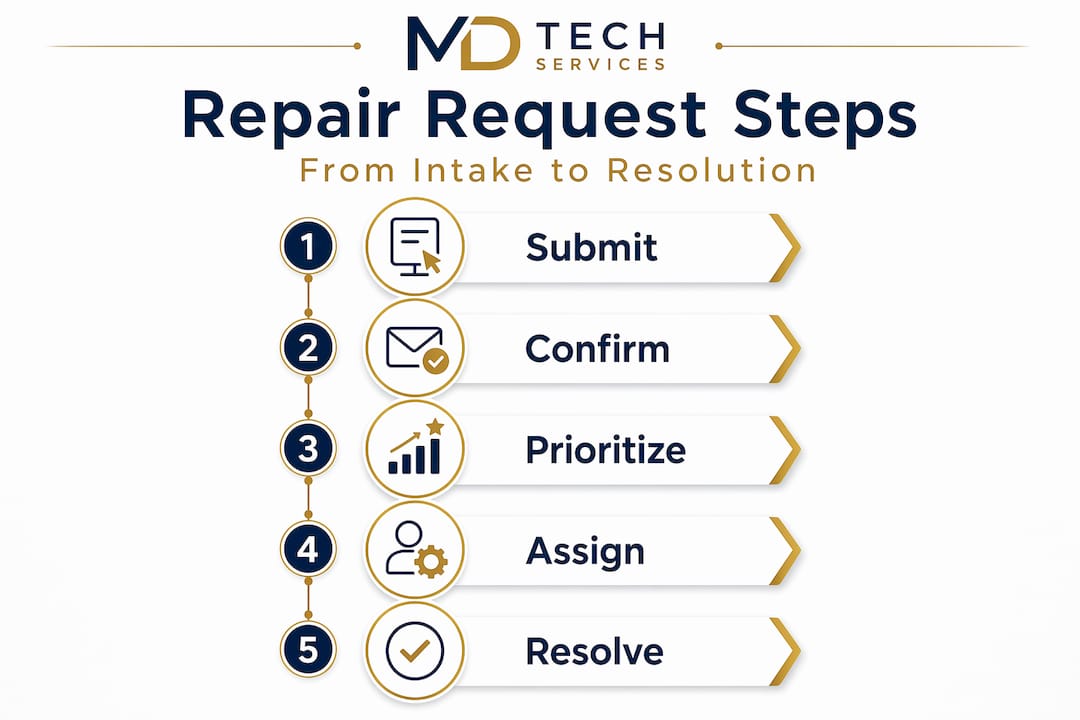
With your intake structure set, you can move through each request in a consistent, repeatable way. Here is the workflow that works in practice.
-
Acknowledge receipt immediately. Send a confirmation with the request number, the assigned priority level, and an estimated response window. Uncertainty is what drives frustrated tenants to call repeatedly. A simple acknowledgment message stops that.
-
Triage and assign priority objectively. Objective and repeatable routing logic prevents subjective, unfair prioritization. Do not let urgency decisions be made on gut feeling. Apply your predefined criteria every time, without exception.
-
Create a formal work order. Convert the request into a work order with a unique tracking number, a scope of work, a cost estimate, and the assigned technician or vendor. Integrated workflows that automatically convert requests into work orders reduce errors and prevent tasks from getting stuck between systems.
-
Schedule and confirm the repair. Assign a specific date and time window. Notify the tenant or homeowner in writing with the technician’s name and what to expect during the visit.
-
Complete the repair and verify closure. After the repair is done, confirm completion with the requester. Collect a written or digital sign-off. Close the work order only after verification, not after the technician leaves.
-
Send a follow-up summary. A brief message recapping what was repaired, any follow-up actions needed, and who to contact with concerns goes a long way. Status updates at key stages and post-visit summaries are directly tied to tenant satisfaction.
Pro Tip: Assign a single designated reviewer per shift for triage duties. Shared responsibility for triage leads to gaps, so clear ownership of the triage role creates accountability and faster response times.
For urgent issues like a failed appliance or a plumbing backup, check out this guide on handling emergency repairs fast to understand how to respond under pressure without skipping critical steps.
Common pitfalls that derail repair request management
Even with a good process, certain habits consistently cause problems. Recognizing them early saves you significant time and money.
-
Accepting informal requests. When someone texts you directly or mentions an issue in passing and you try to remember it later, it will not get done consistently. Every request must enter the formal intake channel. No exceptions.
-
Closing work orders before confirmation. Marking a request complete before the requester confirms it is resolved leads to callbacks, wasted labor, and dissatisfied tenants. Always get sign-off.
-
Letting priority decisions become subjective. When urgency depends on who submitted the request or how loudly they complained, you create backlogs and fairness problems. Apply consistent criteria to every ticket.
-
Going silent after intake. Open communication around repair timelines is a major factor in tenant satisfaction and reduces unnecessary follow-ups. A brief “we are still on schedule for Thursday” message costs almost nothing and prevents a lot of frustration.
-
Relying only on reactive repairs. Running scheduled inspections and preventive maintenance reduces costly emergency failures. If your process only responds to problems after they appear, you will always be behind.
“Skipping workflow steps causes operational failures, but adding bureaucracy is not the goal. Consistency is.” — Property Management Maintenance Workflow Best Practices
Review your annual home maintenance checklist to build a preventive maintenance calendar that works alongside your reactive repair process. Prevention is the most underused tool in managing maintenance requests effectively.
Technology tools that improve your workflow
Manual tracking through spreadsheets or paper logs has real limits. When request volume grows or a genuine emergency hits, those systems fail. Purpose-built software handles the load without dropping tickets.

What good maintenance software does
| Feature | Why it matters |
|---|---|
| Unique ticket numbers | Every request is tracked and accounted for |
| Automated triage routing | Requests reach the right person without manual sorting |
| Duplicate detection | Prevents the same issue from generating two work orders |
| Photo and document storage | Creates a full record from intake through completion |
| Audit trail logging | Timestamps every action for legal and compliance purposes |
| Reporting dashboards | Gives you visibility into volume, response times, and costs |
CMMS or maintenance management software prevents lost tickets and duplicate repairs through unique tracking numbers and clearly assigned reviewer roles. The audit trail feature alone is worth the investment. Each request should be fully documented from intake to closure, including photos and costs, and software makes that automatic rather than dependent on someone remembering to write it down.
For appliance-specific repairs, being able to reduce appliance downtime depends heavily on how fast your system routes and escalates the request. A slow intake process means the appliance sits broken longer, which costs real money for both homeowners and property managers.
Pro Tip: Even a free or low-cost tool like a basic work order app is dramatically better than a shared inbox or a text thread. The key feature to prioritize is a unique tracking number for every request. Everything else is secondary.
If you manage a property in Orange County or Los Angeles County, look at appliance repair scheduling options that integrate directly with your service workflow so repairs get booked without the back-and-forth.
What I’ve learned from managing repair requests in the field
In my experience working with homeowners and property managers across Orange County and Los Angeles, the biggest source of repair management problems is not a lack of tools. It is a lack of commitment to the process.
I’ve seen properties with expensive software still losing tickets because staff were still taking requests by phone and not logging them. I’ve also seen landlords with a simple spreadsheet and a clear intake form handle twenty units with almost zero complaints. The tool matters less than the habit.
What I’ve found truly makes the difference is this: treat every request as if it will eventually end up in a legal dispute. Document everything. Confirm completion in writing. Timestamp your responses. That mindset keeps your records clean and your liability low, without making the process feel like a burden to anyone involved.
The hardest part of managing repair requests is not the repairs themselves. It is the communication in between. Tenants and homeowners can tolerate a repair taking a few days. What they cannot tolerate is not knowing when it will happen or whether anyone is working on it. Build your updates into the process as a required step, not as something that happens when you have time.
— MDTECH
Get professional repair support from Mdtechservices

Managing repair requests well means getting the right technician on the job quickly. When a request reaches your queue and the repair is beyond DIY, Mdtechservices is ready to help. Our licensed technicians specialize in residential appliance repair, HVAC repair, and plumbing services across Orange County and Los Angeles County. We offer responsive scheduling, transparent communication, and repairs done right the first time. Whether you need to handle a single urgent appliance failure or maintain a recurring service relationship for a multi-unit property, Mdtechservices makes it simple. Explore your appliance repair options or contact us today to book your appointment.
FAQ
What is the best way to manage repair requests?
The best approach combines a single intake channel, defined priority levels, and written confirmation at every stage. Using maintenance management software with unique tracking numbers keeps all requests visible and accountable.
How do you prioritize repair requests?
Use a three-tier system: emergency repairs get same-day attention, urgent repairs within 48 to 72 hours, and routine repairs within 7 to 14 days. Apply these criteria consistently so every request is evaluated the same way.
How long does a landlord have to respond to a repair request?
Statutory deadlines require emergency repairs within 24 to 48 hours. Non-emergency repairs typically fall within a 14 to 30 day window, though this varies by state and local jurisdiction.
Can I track repair requests without dedicated software?
Yes, but with clear limitations. A structured spreadsheet with intake date, category, assigned technician, status, and close date can work for small volumes. Once you exceed five to ten active requests at a time, a basic work order tool is far more reliable.
How do I reduce tenant complaints about repairs?
Communication throughout the repair lifecycle is the single most effective way to reduce complaints. Sending an acknowledgment, a scheduled appointment confirmation, and a post-repair summary covers the three moments tenants most want to hear from you.