
TL;DR:
- Many homeowners mistakenly believe turning down their thermostat alone saves energy, but smart thermostats automate this process and offer additional benefits. They connect via Wi-Fi, learn routines, and optimize HVAC performance, leading to significant energy savings and improved comfort. Proper installation, wiring, and setup are essential to maximize their effectiveness and ensure system compatibility.
Most homeowners assume that turning the thermostat down before leaving the house is enough to save energy. It isn’t. A smart thermostat does that automatically, and it does a dozen other things you never knew you needed. Understanding what is a smart thermostat and how it actually works in your home is the first real step toward cutting utility bills, improving comfort, and getting more out of your HVAC system. This guide breaks down the technology, the real benefits, and what to know before you buy or install one.
Table of Contents
- Key Takeaways
- What is a smart thermostat and how does it work
- Key features and benefits of smart thermostats
- Installation considerations and HVAC compatibility
- How to maximize savings and comfort
- My honest take on smart thermostats
- Let Mdtechservices handle the hard part
- FAQ
Key Takeaways
| Point | Details |
|---|---|
| Smart thermostat definition | A Wi-Fi connected device that automates temperature control using sensors, schedules, and learning algorithms. |
| Real energy savings | Users can save between $131 and $250 per year depending on usage habits and the model selected. |
| C-wire compatibility matters | Before buying, confirm your HVAC system has the correct wiring to power a smart thermostat reliably. |
| Setup quality drives results | How well you configure occupancy schedules at installation directly affects your long-term energy savings. |
| Professional installation pays off | Correct wiring and HVAC compatibility checks prevent costly errors and maximize system performance. |
What is a smart thermostat and how does it work
A smart thermostat is a Wi-Fi enabled device that controls your home’s heating and cooling system through an app, automated schedules, and sensor-based intelligence. Think of it as a programmable thermostat that has been upgraded with connectivity and decision-making capability. Smart thermostats connect to your home network and allow you to control temperature settings remotely from a smartphone, tablet, or voice assistant.
Here is how the three main thermostat types compare:
- Basic thermostat: Manual dial or button control. You change the temperature; nothing else happens automatically.
- Programmable thermostat: Lets you set a weekly schedule in advance, but requires you to update it manually when your routine changes.
- Smart thermostat: Learns your schedule, detects occupancy, connects to the internet, and adjusts settings automatically based on real conditions in your home.
The technology behind a smart thermostat involves several layers working together. Sensors detect room temperature, humidity, and in some models, occupancy. The device connects to your HVAC system through standard low-voltage wiring, the same wiring your existing thermostat uses. It then connects to your home’s Wi-Fi network, which enables app control, weather-based adjustments, and integration with other smart home devices.
Geofencing and occupancy sensing are among the most practical features. When your phone leaves a defined geographic boundary around your home, the thermostat detects your absence and shifts to an energy-saving mode. When you return, it prepares the home to your preferred temperature before you walk in the door.
Pro Tip: If you want to understand how your thermostat choices connect to broader energy savings in your HVAC system, read this breakdown of thermostat energy savings to see the full picture.
Key features and benefits of smart thermostats
The benefits of smart thermostats go beyond convenience. The financial and environmental returns are well documented, and the comfort improvements are noticeable within the first few weeks of use.
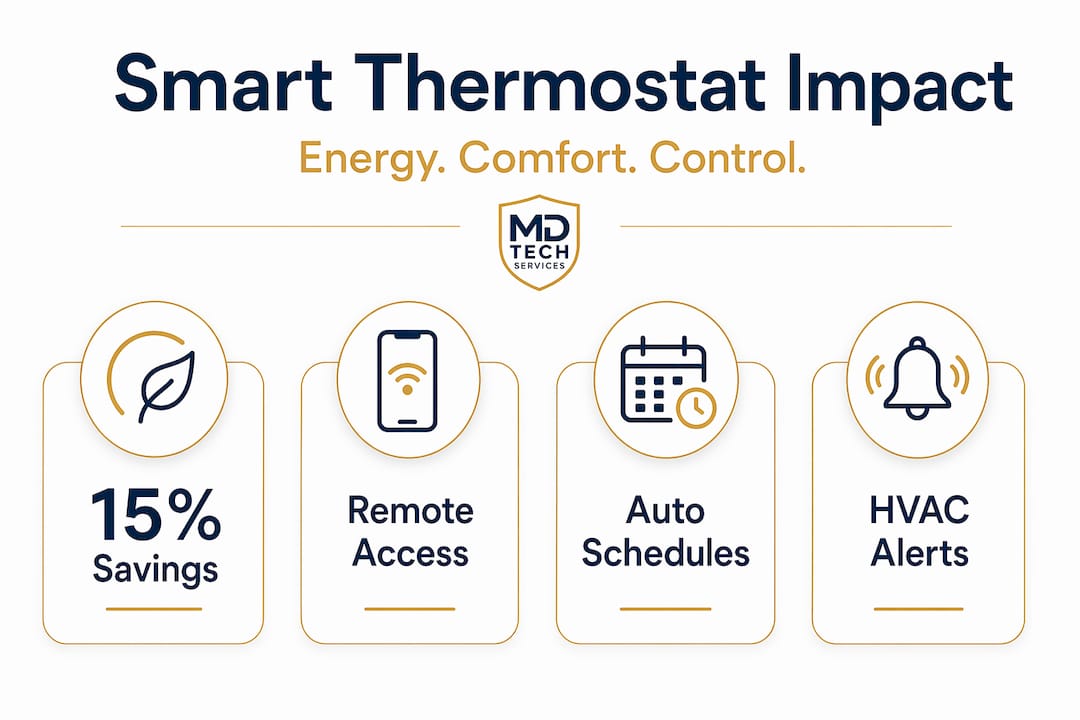
- Energy savings you can measure. Research shows that Nest thermostat users save between 12% and 15% on heating and cooling bills annually, which translates to roughly $131 to $145 per year. Some models claim even more. The Ecobee Smart Thermostat claims up to $250 annual savings with a 23% reduction in energy use and a payback period of about six months.
- Comfort without constant adjustment. Multi-sensor setups allow the thermostat to read temperatures in multiple rooms and average them, or prioritize the room where you spend the most time. This prevents the common problem of one room being too hot while another is too cold.
- Remote control from anywhere. Whether you are at work or traveling, you can check and change your home’s temperature from your phone. Some models even send maintenance reminders, like filter replacement alerts, directly to your app.
- Voice assistant and smart home integration. Smart thermostats work with Amazon Alexa, Google Assistant, and Apple HomeKit, letting you control temperature by voice. They also integrate with smart home devices like occupancy sensors, smart vents, and security systems.
- Utility demand-response programs. This benefit surprises most homeowners. Smart thermostats can participate in programs where your utility provider makes small, temporary temperature adjustments during peak grid demand. The changes are minor and largely unnoticed by residents, but collectively they reduce strain on the power grid and often come with bill credits or rebates for participating customers.
Most smart thermostats pay for themselves within one to two years through energy savings alone, making them one of the higher-return upgrades available to homeowners today.
Installation considerations and HVAC compatibility
Before you buy a smart thermostat, you need to know whether your home’s HVAC system can support it. Not every system is plug-and-play, and skipping this step is where most homeowners run into trouble.
HVAC system compatibility by type:
| System Type | Compatibility | Notes |
|---|---|---|
| Standard forced-air (gas/electric) | Excellent | Most common setup; broad compatibility with all major smart thermostat brands |
| Heat pump systems | Good, with caveats | Requires a thermostat that supports heat pump wiring (O/B wire) |
| Radiant heating / boilers | Limited | Many smart thermostats do not support these systems; check specs carefully |
| Multi-stage HVAC | Good | Requires a thermostat rated for multi-stage operation |
| Zone control systems | Requires planning | Each zone needs its own thermostat; coordination with a zone controller is necessary |
The most critical factor in installation is the C-wire, short for common wire. This wire provides the constant 24-volt power that smart thermostats need to maintain Wi-Fi connectivity and run their onboard electronics. Stable 24V power through the C-wire is what separates a reliably functioning device from one that reboots constantly or loses its schedule.
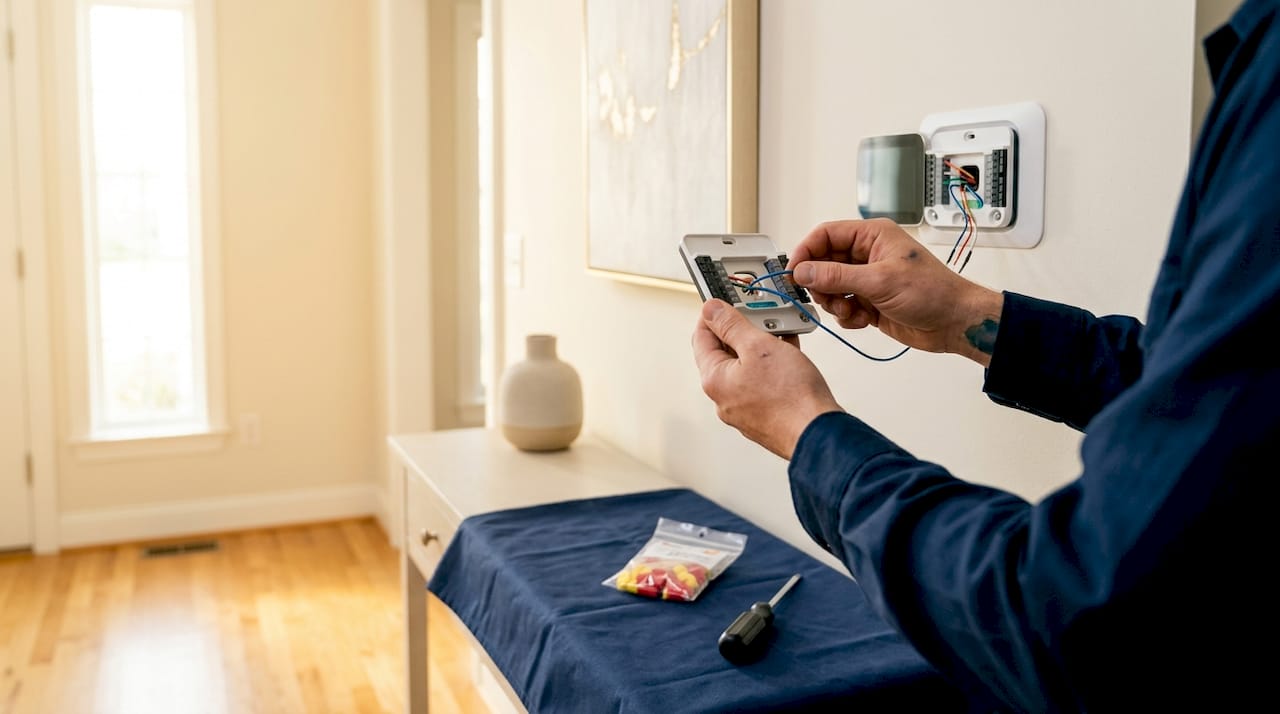
Many older homes do not have a C-wire run to the thermostat location. Several smart thermostats solve this with included adapters or by drawing power through existing wires in a way that does not require a C-wire. However, these workarounds do not always perform as reliably as a properly wired C-wire connection.
Installation itself is straightforward in most cases. Most installs take under 30 minutes, provided the wiring is compatible and correctly labeled. The real risk comes from miswiring. Incorrectly wired thermostats can cause fan malfunctions, prevent heating or cooling from engaging, or in rare cases damage HVAC components.
Key factors to review before installation:
- Check your existing thermostat’s wiring labels before removing it
- Photograph the wiring before disconnecting anything
- Confirm your HVAC system type and look it up against the smart thermostat’s compatibility list
- Determine whether a C-wire is present and accessible
- Read the manufacturer’s wiring guide completely before starting
Pro Tip: If your HVAC system is older or your wiring situation is unclear, a professional installation is the safer choice. It protects your equipment and your investment. Mdtechservices handles HVAC troubleshooting and installation for homeowners throughout Orange County and Los Angeles County.
How to maximize savings and comfort
Buying and installing a smart thermostat is only part of the equation. How you set it up determines how much value you actually get from it. Many homeowners install their device, accept the default settings, and wonder why their bills barely change.
- Set up occupancy patterns thoughtfully. The initial setup of schedules and occupancy patterns has a direct impact on long-term savings. Spend 15 to 20 minutes at installation mapping out your household’s actual daily routine rather than using generic defaults.
- Enable geofencing if your model supports it. Geofencing uses your phone’s GPS to trigger temperature adjustments based on your real location, not a fixed schedule. This is especially useful for households with unpredictable schedules or frequent travel.
- Position remote sensors strategically. If your thermostat comes with additional room sensors, place them in the rooms where your family spends the most time. Thermostat sensor placement directly affects HVAC cycling efficiency. A sensor in an unused hallway will give you inaccurate data and inconsistent comfort.
- Review your energy usage reports monthly. Most smart thermostat apps show weekly and monthly energy usage breakdowns. Use these reports to spot patterns, like the system running during hours when the house is empty, and adjust accordingly.
- Enroll in utility demand-response programs. If your utility provider offers a smart thermostat program, sign up. These background temperature adjustments are minor and often unnoticed by residents, but they can earn you bill credits while helping reduce overall grid demand.
Pro Tip: Pair your smart thermostat with smart HVAC efficiency practices for faster results. This guide on cutting home energy costs covers practical adjustments that work alongside your thermostat settings.
My honest take on smart thermostats
I’ve worked with HVAC systems across hundreds of homes in Orange County and Los Angeles County, and I’ll tell you what most smart thermostat articles leave out. The device itself is rarely the problem. The installation and setup quality are what determine whether you save money or just have a new gadget on your wall.
What I’ve seen repeatedly is homeowners who rush through setup, leave schedules at factory defaults, and then wonder why their bills look the same. The energy savings come from accurate schedules and multi-sensor accuracy, not from simply owning a smart device.
I’ve also seen C-wire issues cause systems to behave erratically for months before a homeowner calls us. The thermostat restarts, loses its schedule, and the HVAC runs inefficiently without the homeowner realizing it. A proper installation check at the start prevents all of that.
My experience tells me that smart thermostats work best when treated as part of your HVAC system, not as a standalone tech upgrade. They need compatible equipment, correct wiring, and a homeowner willing to spend a few minutes adjusting settings over the first month. When those conditions are met, the results are real and consistent.
— MDTECH
Let Mdtechservices handle the hard part
Installing a smart thermostat should be a straightforward upgrade, but HVAC wiring and system compatibility issues can turn a simple swap into a frustrating problem. Mdtechservices provides professional thermostat installation and HVAC repair services across Orange County and Los Angeles County, with licensed technicians who confirm compatibility, handle wiring correctly, and test your system before they leave.

Whether you need help with a new installation or your current thermostat is not communicating properly with your HVAC system, Mdtechservices is ready to help. Our team also provides full HVAC repair services for homeowners who want their entire system running at its best. Call us or book an appointment online to get started with a technician who knows your local system requirements.
FAQ
What is a smart thermostat in simple terms?
A smart thermostat is a Wi-Fi connected device that controls your home’s heating and cooling automatically using sensors, schedules, and app-based remote control. Unlike a basic thermostat, it adjusts settings based on your behavior and real-time conditions.
Do smart thermostats actually save energy?
Yes. Research shows users save between 12% and 15% on annual energy bills, with documented savings ranging from $131 to over $250 per year depending on the model and how well the device is configured.
How does a smart thermostat connect to my HVAC system?
It connects through the same low-voltage wiring your existing thermostat uses, typically a standard wiring harness with four to six wires. The C-wire provides constant power, which is required for stable Wi-Fi operation and reliable performance.
Can I install a smart thermostat myself?
Most installs take under 30 minutes if your wiring is compatible and clearly labeled. However, incorrect wiring can damage your HVAC system, so professional installation is recommended if you are unsure about your system type or wiring configuration.
Do all HVAC systems support smart thermostats?
No. Standard forced-air systems have the broadest compatibility, while radiant heating and boiler systems often do not work with most smart thermostat models. Always verify compatibility with your specific HVAC system before purchasing.