
Booking home repairs online should be simple, but many homeowners in Orange and Los Angeles counties face confusing interfaces, hidden fees, and unreliable scheduling systems. You deserve a straightforward process that respects your time and delivers trustworthy service. This guide walks you through everything you need to know about booking appliance, HVAC, and plumbing repairs online with confidence. You’ll discover essential preparation steps, a clear booking process, common pitfalls to avoid, and what happens after you click submit.
Table of Contents
- What You Need Before Booking Repair Online
- Step-By-Step Guide To Booking Your Repair Online
- Common Mistakes To Avoid And Tips For Smooth Online Booking
- What To Expect After Booking Your Repair Online
- Discover Reliable Repair Services With Mdtech In 2026
- Frequently Asked Questions
Key takeaways
| Point | Details |
|---|---|
| Mobile dominance | Over 70% of home service bookings now happen on smartphones, making mobile-friendly platforms essential |
| Real-time scheduling | Instant availability updates reduce no-shows and improve appointment reliability significantly |
| Payment integration | Secure gateways and automated reminders boost customer satisfaction and operational efficiency |
| Transparent pricing | Clear service descriptions and upfront costs empower confident booking decisions |
| Zone optimization | Geographic scheduling improves technician deployment and appointment punctuality |
What you need before booking repair online
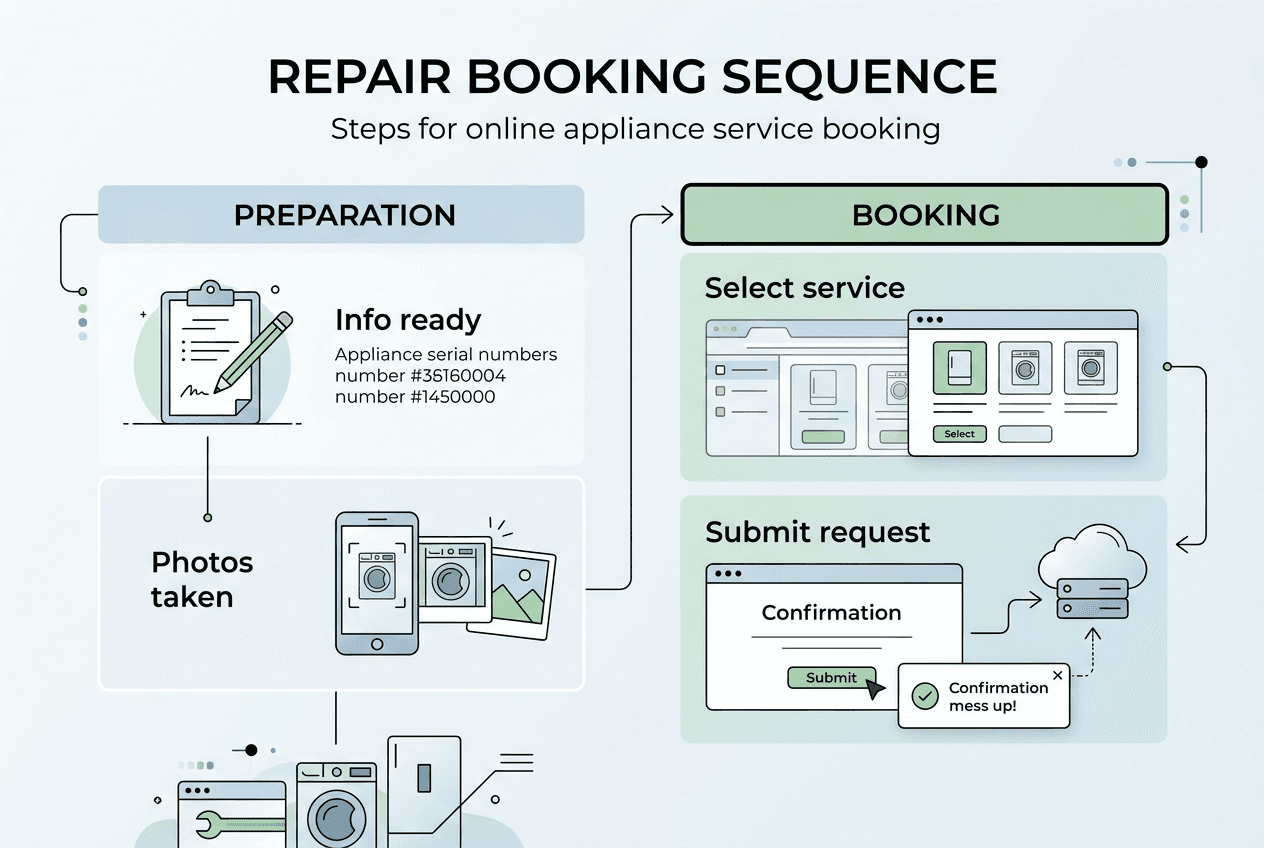
Gathering the right information before you start booking saves time and prevents frustrating back-and-forth communication. You’ll need specific details about your appliance or system, including the brand, model number, and a clear description of the problem you’re experiencing. Take photos of error codes, visible damage, or unusual symptoms if possible. These visual references help technicians diagnose issues faster and bring the right parts on their first visit.
Your device matters more than you might think. Mobile-first design has become critical for online booking success, so use a smartphone or tablet with a stable internet connection. Older desktop-only systems create unnecessary friction. Check that your browser is updated and that you can easily upload photos if the platform allows it. Poor connectivity during booking can result in incomplete submissions or lost appointment slots.
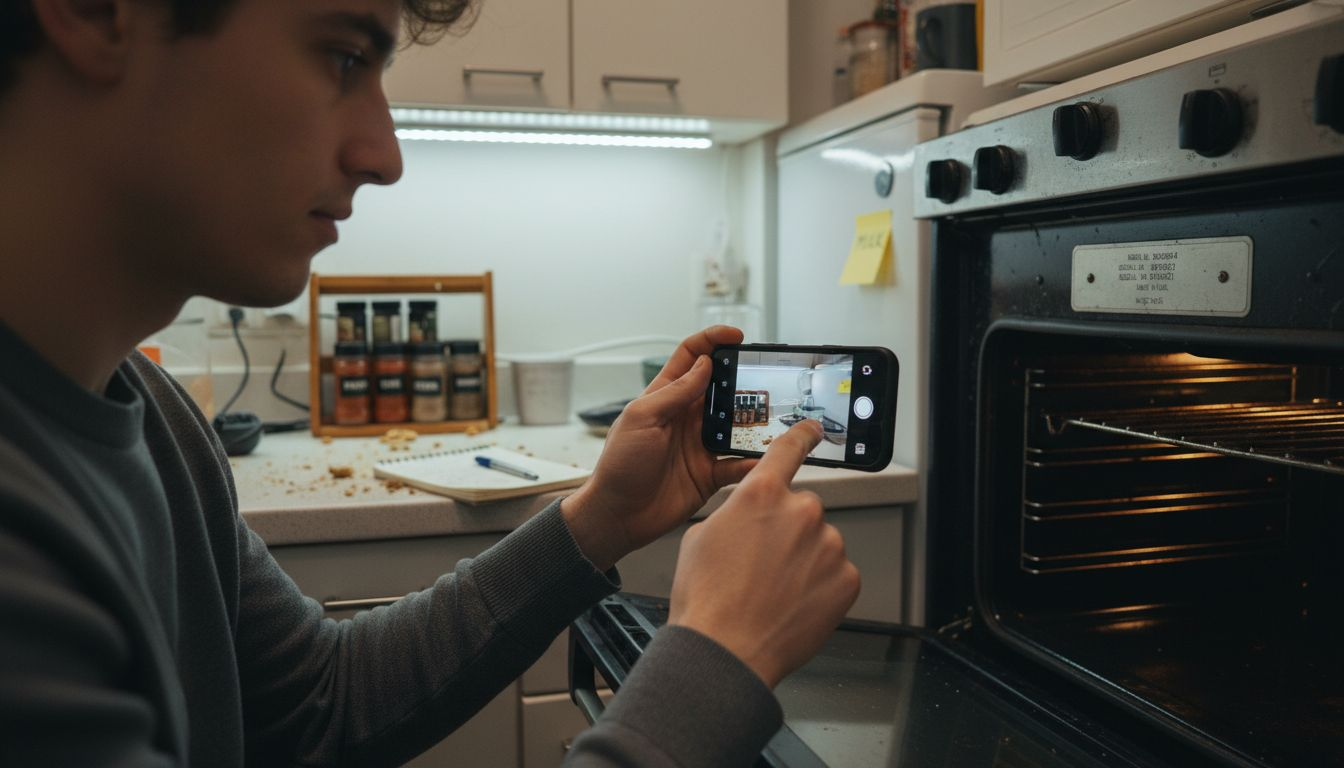
Pro Tip: Screenshot your appliance’s model and serial number plate instead of writing it down. This ensures accuracy and makes the information instantly accessible when filling out booking forms.
Prepare your schedule with realistic availability windows. Think about when you can actually be home for a service visit, not just when it’s convenient. Most platforms let you select preferred time slots, but flexibility increases your chances of securing an appointment quickly. Have your payment method ready, whether that’s a credit card, debit card, or digital wallet. Verify that your payment information is current to avoid delays at checkout.
Consider these essential items before starting:
- Complete appliance or system information including age and warranty status
- Clear problem description with specific symptoms and when they started
- Photos or videos showing the issue if applicable
- Your availability for the next 7 to 10 days
- Valid payment method and billing address
- Contact information including phone number and email
Understanding how to book appliance service home processes in advance streamlines your entire experience. You’ll move through forms faster and communicate more effectively with service providers.
Step-by-step guide to booking your repair online
Start by navigating to your chosen service provider’s website or booking platform. Most reputable companies now offer mobile-optimized interfaces that load quickly and display clearly on any screen size. Look for prominent “Book Now” or “Schedule Service” buttons, typically found in the header or hero section of the homepage. These platforms should feel intuitive, not cluttered with excessive promotional content.
Select your specific service category from the available options. You’ll typically see choices like appliance repair, HVAC service, or plumbing work. Some platforms break these down further into subcategories such as refrigerator repair, air conditioning maintenance, or drain cleaning. Choose the option that best matches your needs. Being specific here helps the system assign the right technician with appropriate expertise and tools.
Fill out the service request form with detailed information. This is where your preparation pays off. Enter your appliance model, describe the problem in clear terms, and upload any photos you’ve taken. The more context you provide, the better equipped the technician will be. Many systems now use real-time scheduling to show actual availability, which significantly improves customer experience compared to traditional callback systems.
Pro Tip: When describing your problem, focus on what changed. “The refrigerator stopped cooling yesterday after a power outage” gives technicians more actionable information than “My fridge doesn’t work.”
Follow these numbered steps for smooth booking:
- Access the booking platform on your mobile device or computer
- Select your service type from the main menu options
- Enter detailed appliance or system information in the form fields
- Upload supporting photos or documentation if the platform allows
- Choose your preferred appointment date from available real-time slots
- Review the estimated service cost and any applicable fees
- Enter your contact and location information accurately
- Select your payment method and complete secure checkout
- Confirm all details before final submission
- Save your confirmation number and appointment details
Most modern platforms display technician profiles during the booking process. You might see ratings, certifications, and years of experience. This transparency builds trust and helps you feel confident about who’s coming to your home. Some systems even let you choose specific technicians based on availability and customer reviews.
Review the pricing breakdown carefully before submitting payment. Reputable services show diagnostic fees, estimated repair costs, and any trip charges upfront. Hidden fees are red flags. Secure payment integration reduces no-show rates and protects both you and the service provider. Look for SSL encryption indicators in your browser’s address bar.
Here’s what different booking stages typically involve:
| Booking Stage | What Happens | Time Required |
|---|---|---|
| Service Selection | Choose repair category and subcategory | 1 to 2 minutes |
| Information Entry | Provide appliance details and problem description | 3 to 5 minutes |
| Scheduling | Select date and time from real-time availability | 2 to 3 minutes |
| Payment Processing | Enter payment method and complete secure transaction | 2 to 4 minutes |
| Confirmation | Receive instant confirmation with appointment details | Immediate |
After submitting, you should receive immediate confirmation via email and text message. This confirmation includes your appointment date, time window, assigned technician information, and service address. Save these details and add the appointment to your calendar. Learning how to schedule appliance repair efficiently means understanding each of these steps and preparing accordingly.
Common mistakes to avoid and tips for smooth online booking
Rushing through service forms creates problems that delay repairs and frustrate everyone involved. Many homeowners skip optional fields or provide vague problem descriptions, thinking they’ll explain everything when the technician arrives. This approach wastes time and can result in technicians showing up without necessary parts or expertise. Take an extra two minutes to be thorough. Your future self will thank you when the repair happens smoothly on the first visit.
Ignoring technician profiles and customer reviews is another frequent mistake. These details exist for a reason. A technician with 50 five-star reviews and ten years of experience offers different value than someone new to the field. Both might be competent, but reviews reveal patterns about punctuality, communication, and problem-solving ability. Spend a moment reading recent feedback before finalizing your booking.
Payment and confirmation oversights cause unnecessary appointment cancellations. Some homeowners close the browser before the transaction fully processes, assuming everything went through. Others don’t check spam folders for confirmation emails. Set up text message notifications if available. These provide redundant confirmation and appointment reminders that significantly reduce missed appointments.
Pro Tip: Take a screenshot of your confirmation page immediately after booking. This gives you instant proof of your appointment details even if emails get lost or delayed.
Cancellation policies deserve your attention before you commit. Most services require 24 to 48 hours notice for cancellations without penalty. Missing this window might cost you a cancellation fee or diagnostic charge. Time zones matter too, especially if you’re booking a service that operates across multiple regions. Verify that the appointment time reflects your local time zone, not the company’s headquarters location.
Avoid these common booking errors:
- Providing incomplete or inaccurate appliance model information
- Selecting “any time” availability without considering your actual schedule
- Ignoring the cancellation policy and rescheduling terms
- Failing to verify that confirmation emails arrived successfully
- Not reading service area limitations before booking
- Skipping the step to add appointments to your personal calendar
- Assuming all technicians have identical expertise and equipment
CRM-integrated systems offer advantages you should actively seek out. These platforms remember your service history, appliance details, and preferences for future bookings. You’ll spend less time re-entering information and receive more personalized service recommendations. When evaluating booking platforms, ask whether they maintain customer profiles that streamline repeat visits.
“The difference between a frustrating booking experience and a smooth one often comes down to preparation and attention to detail. Homeowners who invest five extra minutes upfront save hours of frustration later.” This principle applies universally across home service bookings.
Verifying technician credentials adds another layer of confidence. If the platform doesn’t display licensing information prominently, research independently. California requires specific licenses for plumbing and HVAC work. Understanding how to verify a licensed plumber protects you from unqualified contractors and ensures code-compliant work. Legitimate companies make verification easy and transparent.
What to expect after booking your repair online
Instant confirmation marks the beginning of your service experience, not the end of your involvement. You’ll receive detailed information about your assigned technician, including their name, photo, and estimated arrival window. Modern platforms send this confirmation through multiple channels: email, text message, and sometimes in-app notifications. Save these details where you can easily reference them on service day.
Geographic zone assignment happens behind the scenes but dramatically affects your service quality. Zone scheduling practices prioritize efficiency by assigning technicians based on location first, then customer preference. This approach reduces travel time, minimizes delays, and increases the likelihood your technician arrives within the promised window. You benefit from faster service and technicians who aren’t rushed or stressed from cross-county drives.
Automated reminders keep your appointment top of mind without requiring manual follow-up. Most systems send a reminder 24 hours before your appointment, then another a few hours before the technician departs. Some advanced platforms offer real-time technician tracking, similar to ride-sharing apps. You can see when your technician completes their previous appointment and watch their progress toward your location.
Pro Tip: Set your own reminder for 30 minutes before the appointment window. Use this time to clear the work area, secure pets, and gather any additional information the technician might need.
Compare traditional booking methods with modern real-time systems:
| Aspect | Traditional Manual Booking | Real-Time Online Scheduling |
|---|---|---|
| Availability Confirmation | Phone tag and callbacks required | Instant confirmation of open slots |
| Appointment Changes | Call during business hours | Modify anytime through platform |
| Technician Assignment | Often unknown until arrival | Profile and credentials shown upfront |
| Arrival Updates | Generic time windows | Real-time tracking and notifications |
| Payment Processing | Cash or check at service | Secure digital payment options |
| Service History | Paper records or none | Digital profile with complete history |
Prepare your home for the service visit by ensuring easy access to the problem area. Move furniture, clear clutter, and make sure the technician can reach the appliance or system without obstacles. Have any relevant documentation ready, such as warranty papers, previous repair records, or installation manuals. This preparation shows respect for the technician’s time and often results in faster, more thorough service.
Communication channels remain open after booking. If your problem worsens or changes before the appointment, contact the service provider immediately through the platform. Most systems include messaging features or direct phone numbers for urgent updates. Don’t wait until the technician arrives to mention significant changes. This proactive communication helps them bring appropriate tools and parts.
Your service experience benefits from understanding how appliance repair services MDTech and similar providers structure their operations. Zone-based scheduling, automated reminders, and integrated payment systems all work together to create reliable, professional service. These aren’t just convenient features; they’re operational strategies that directly improve your experience as a customer.
Post-service follow-up typically includes a satisfaction survey and digital receipt. Take a moment to provide honest feedback. Your input helps service providers maintain quality standards and improve their booking systems. You’ll also receive documentation of the work completed, parts used, and any warranty information. Store these records digitally for easy reference during future service needs.
Discover reliable repair services with MDTech in 2026
Applying everything you’ve learned about online booking becomes effortless when you work with a service provider built for modern homeowners. MDTech Services specializes in appliance, HVAC, and plumbing repairs throughout Orange and Los Angeles counties, offering the mobile-first booking experience and real-time scheduling you deserve. Their platform eliminates the guesswork and frustration common with outdated booking systems.

Explore what is appliance repair services that prioritize your convenience and deliver transparent, professional results. Their licensed technicians bring years of local expertise to every job, backed by zone-optimized scheduling that respects your time. Whether you need emergency repairs or planned maintenance, their integrated booking system makes scheduling simple and reliable. Check out their comprehensive hvac repair guide and plumbing repair service options to see how modern online booking should work.
Frequently asked questions
How do I find a trustworthy repair service online?
Look for services with verified licensing, transparent pricing, and substantial customer reviews from local homeowners. Platforms that display technician profiles with credentials and ratings offer more accountability than anonymous booking systems. Verify a licensed plumber or technician through California state licensing boards before committing to service.
What payment methods are safest when booking repair services online?
Credit cards offer the strongest consumer protection through chargeback rights if service issues arise. Secure payment gateways with SSL encryption protect your financial information during transactions. Avoid services that only accept cash, wire transfers, or payment apps without buyer protection features.
Can I reschedule my appointment easily if needed?
Most modern booking platforms allow rescheduling through the same interface you used for initial booking. Check the cancellation policy for notice requirements, typically 24 to 48 hours. Some systems charge fees for last-minute changes, while others offer flexible rescheduling at no cost.
How do real-time scheduling systems benefit me as a homeowner?
Real-time systems show actual technician availability instead of requiring callbacks for confirmation. You see open slots instantly, book immediately, and receive confirmation without waiting. This transparency reduces scheduling conflicts and no-shows significantly compared to traditional phone-based booking.
What details should I prepare before booking a repair online?
Gather your appliance model and serial numbers, a clear problem description, photos of the issue, and your availability for the next week. Have payment information ready and ensure you can access email and text messages for confirmations. Preparation speeds up booking and improves service quality.
Are there ways to reduce no-shows and delays with online bookings?
Choose services using automated reminder systems and zone-based scheduling for better reliability. Enable text message notifications for appointment updates and technician tracking. Services with integrated payment processing and customer profiles typically have lower no-show rates than cash-only operations.